On-Premises Personal Agents
Run your own personal-agent platform on your own servers, giving each employee or customer a personalized agent that remembers them and acts for them within the permissions you set.
LIVE
Hosted services running on FinAI OS today. Try them in your browser, sign up, and go live without deploying anything.
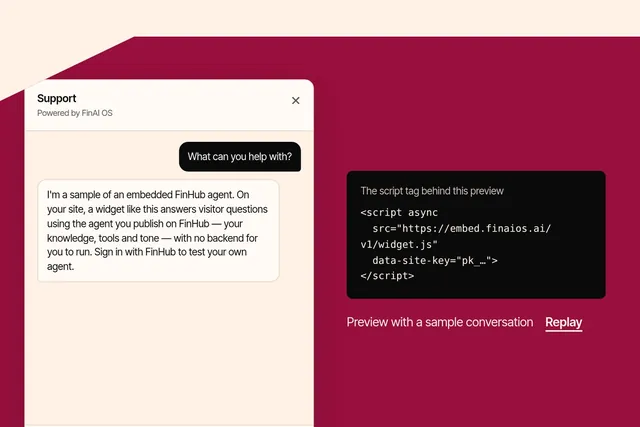
Put an agent you publish on FinHub onto any website with one script tag, in your brand and your visitors' language. Try the playground or sign up at embed.finaios.ai.
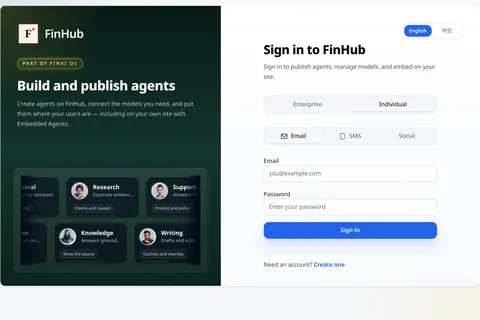
FinHub is the governance and work plane for your company's agents, including the Super Agent work layer. Policy, identity, audit and skills stay on the platform, so you are not locked to one harness.
FinHub · Deploy
Point your AI coding agent at the public FinHub white-label repository. Tell it to load and follow skills/finhub-deploy/SKILL.md—it installs, brands, and deploys FinHub for you. You do not run the install steps by hand.
git clone https://github.com/finogeeks/finhub-whitelabel.gitOpen the clone in Cursor, Claude Code, Codex, or another coding agent. Tell it to load skills/finhub-deploy/SKILL.md and follow it to install and deploy FinHub. When prompted, provide your offline release tarball URL, the path to this repo, and admin credentials. Offline tarball URLs are issued by FinoGeeks for authorised customer deployments—the public template does not generate or host them. The skill walks Phase 1 (offline stack) and Phase 2 (white-label overlays).
Load skills/finhub-deploy/SKILL.md and follow it to install and deploy FinHub.
My offline release tarball URL is: <PASTE_URL>
This white-label repo is at: <PATH_TO_FINHUB-WHITELABEL>
Follow Phase 1, then Phase 2, and use docs/smoke-checklist.md when the stack is up.
Need help? Talk to FDE