On-Premises Personal Agents
Run your own personal-agent platform on your own servers, giving each employee or customer a personalized agent that remembers them and acts for them within the permissions you set.
LIVE
Hosted services running on FinAI OS today. Try them in your browser, sign up, and go live without deploying anything.
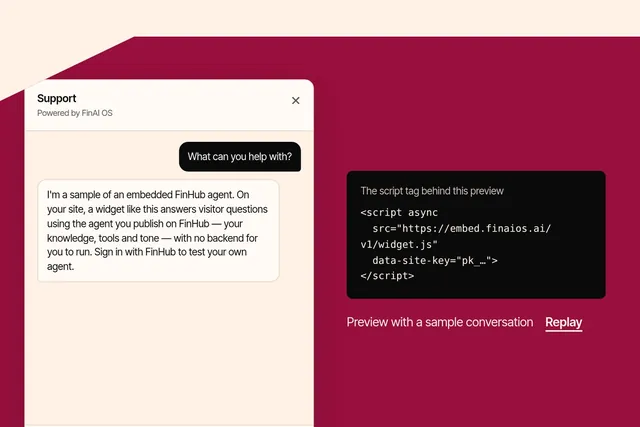
Put an agent you publish on FinHub onto any website with one script tag, in your brand and your visitors' language. Try the playground or sign up at embed.finaios.ai.
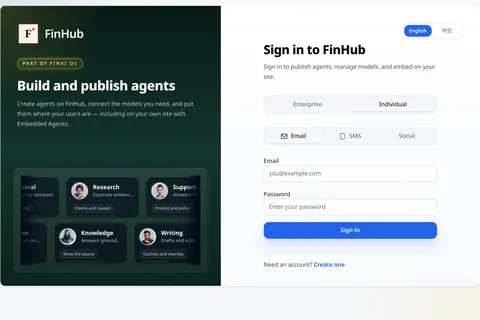
FinHub is the governance and work plane for your company's agents, including the Super Agent work layer. Policy, identity, audit and skills stay on the platform, so you are not locked to one harness.
Set limits on what AI assistants can do on your computer
FinShield lets you decide which files, programs and network connections an AI assistant may use, and blocks the rest. Free to download.
Built on FinSafe.
Free to download
See the difference with and without protection

Without protection:Pop-up windows cover the desktop
With protection:Pop-ups are isolated without interrupting your work

Without protection:The work window is moved repeatedly
With protection:Movement is blocked; the window stays put

Without protection:Copied content is replaced
With protection:Changes are blocked; copied content stays intact
Security
Protect your desktop, system, and business data
Block unauthorized actions and guide adjustments
Data value
Retain business activity and context
Store locally with encryption for search and review
Choose your operating system, download the package, and follow the installation guide
64-bit systems
Recommended: Download the install assistant (`install-finshield.cmd`) and double-click to run it.
Download install assistantOffline package: `finshield-0.10.14-x64-setup.exe`, for offline or already-downloaded setup.
Download offline packageInstallation guide →Apple silicon
DownloadInstallation guide →x86_64
DownloadInstallation guide →Compare key capabilities, from runtime environments to data protection
| Product | Runtime | Agent integration | Risky system ops | File permissions | PII detection | Data retention |
|---|---|---|---|---|---|---|
| FinShield | Native Windows | Supported | Supported | Supported | Supported | Supported |
| SRT (Anthropic) | Native Windows | CLI agents only | Partially supported | Supported | Unsupported | Unsupported |
| Codex (OpenAI) | Native Windows | DSH task failed* | Partially supported | Partially supported | Unsupported | Unsupported |
| MXC (Microsoft) | Windows execution backend | DSH failed to start* | — | — | — | — |
| Docker Sandboxes | Linux microVM | Windows agents unsupported | Isolates the host | Supported | Unsupported | Unsupported |
| OpenShell | WSL2 + Linux container† | Windows agents unsupported† | Isolates the host | Supported | Unsupported | Unsupported |
Based on public documentation and preliminary testing, with sources checked on October 29, 2026
Capabilities vary by version, platform, and configuration; “—” means the agent failed to start, so subsequent tests were not run
*Both DSH results apply only to the versions and configurations tested, not to other backends or later versions
PII detection applies to network requests that support inspection; personal-data masking is not yet available in the Windows desktop version
†OpenShell has published a native Windows development branch; the table reflects the version originally evaluated
*Preliminary results reflect versions and configurations tested around October 19–20, 2026, not test conclusions about later versions
The original table records a DSH task failure for Codex and a DSH startup failure for MXC; MXC was tested with SDK 1.0.1 using the appcontainer-dacl backend
Sensitive-information detection can log, request approval for, or block network requests that support inspection; coverage depends on the platform, version, and configuration
The demos show protection in specific scenarios, not that FinShield has passed every Safety Arena test
View technical details and evaluation notes →View the original comparison table →You don’t need to understand how a sandbox works to add protection to your AI assistant.
Follow the guide for the initial setup, then launch your familiar AI assistant through FinShield so it works within the permissions you allow
The Windows download includes the desktop widget. macOS and Linux downloads are command-line archives.
Use cases
Keep your AI assistant within the permissions you allow when organizing files, running code, or working with business information
Let your AI assistant organize documents and summarize information, specifying which files it can read or change to reduce the risk of accidental edits to other files
Let your AI assistant write scripts and run tasks, with limits on the directories and networks it can access and the system operations it can perform
Let your AI assistant help organize client information and prepare business materials, setting file and network permissions for each task to reduce unauthorized access or disclosure
Get started
For personal use, choose your operating system and download
For team use, talk to FDE about deployment
Need centralized policies and device management for a team? See Agent Security Guard, or talk to an FDE.
Use FinShield on its own or alongside other FinAI OS productsExplore the FinAI OS platform →