On-Premises Personal Agents
Run your own personal-agent platform on your own servers, giving each employee or customer a personalized agent that remembers them and acts for them within the permissions you set.
LIVE
Hosted services running on FinAI OS today. Try them in your browser, sign up, and go live without deploying anything.
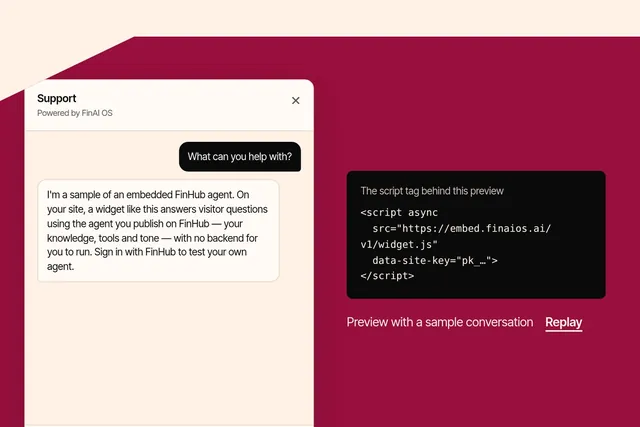
Put an agent you publish on FinHub onto any website with one script tag, in your brand and your visitors' language. Try the playground or sign up at embed.finaios.ai.
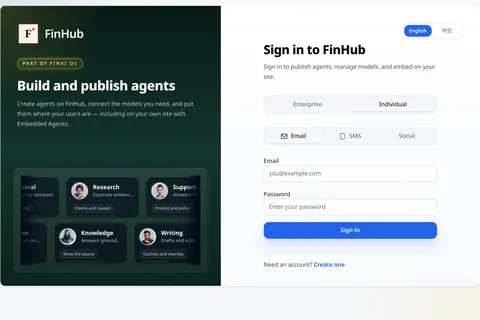
FinHub is the governance and work plane for your company's agents, including the Super Agent work layer. Policy, identity, audit and skills stay on the platform, so you are not locked to one harness.
FinShield is the desktop security guard for AI agents. Built on FinSafe, it runs supported agents inside a sandbox with rules for files, programs and network access. For an enterprise fleet, a Policy Authority and operator console issue enrollment tokens for desktops, assign signed policies to device groups and show reported device status and managed-run records. Those policies apply when agents are started through managed FinShield—not to every app on every computer. A Forward Deployed Engineer (FDE) can help your IT and security teams deploy and operate the system.
Personal FinShield is free for anyone to install on their own desktop. Enterprise Agent Security Guard is a separate enterprise edition for managed fleets.
Enterprise Agent Security Guard is FinSafe in managed fleet mode: enrolled desktops, a Policy Authority you operate, and signed policy bundles assigned by device group. Managed fleet operation and the Policy Authority are licensed with a Finogeeks-issued license that sets the maximum number of enrolled devices.
The admin console shows enrollment, heartbeats, reported policy bundles, managed-run records and audit events so security and IT teams can run rollout and review.
An enrolled desktop verifies its assigned policy; managed FinShield applies it locally through FinSafe when a supported agent is launched.
Roll out policy in stages; enforcement happens on enrolled desktops.
The console can show device enrollment and last heartbeat, the bundle a device last reported, and run or audit events emitted by managed FinShield paths. The exact records depend on platform, agent integration and configuration. Records cover runs started through managed FinShield; other apps are outside scope. Operational records may contain sensitive business information, so agree who can review them and how they are handled before rollout.
Evaluation
We publish a public, case-driven project that evaluates agent safety controls and sandbox enforcement—not model skill. FinShield is one of the protection tracks. Browse hosted demos, or clone the repo to rebuild reports offline.
Personal FinShield is free for anyone to install on their own desktop. Enterprise Agent Security Guard is a separate enterprise edition for managed fleets.
An FDE helps your team choose a pilot group and supported agent paths, connect endpoint deployment to the Policy Authority, and configure policy bundles and device groups. Together, you verify enrollment, enforcement and the records visible to operators before expanding rollout. The engagement should leave your team with documented ownership for policy changes, device updates, event review and emergency response; your operators use the console for ongoing fleet administration.
It means the desktops enrolled with your organization’s Policy Authority and licensed for managed fleet operation. Unenrolled machines are outside the governed boundary.
No. It governs supported runs started through the organization’s managed FinShield entry point. Other applications and direct launch paths need separate controls if they must be restricted.
The console can show enrollment, last check-in, the latest reported policy bundle, managed-run records, audit events and policy denials. Available detail depends on the platform, integration and configuration.
Records cover runs started through managed FinShield; other apps are outside scope. Some operational records can contain business content. Define access and handling rules with your security and privacy teams.
Managed fleet operation and the Policy Authority are licensed with a Finogeeks-issued license that sets the maximum number of enrolled devices.
Next step
Choose a pilot group, confirm the agent launch paths and operator signals, then expand only after the boundary works for the tasks people need to do.